


Saldo: Bill & Invoice Maker
4.795.00 Reviews
App Specs
- Version
- 4.3.3
- Updated On
- License
- Free
- Downloads
- 100,000+
- Developer
- Saldo Apps
- Categories
- Business
- Platform
- Android
Screenshots
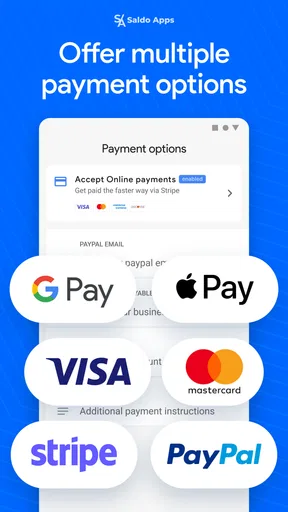
 Analysis by AppCompare
When a client asks for an estimate while I’m away from my desk, I want to send something clear without turning the moment into an accounting project. That is the practical appeal of Saldo: Bill & Invoice Maker: it is a business app for making invoices and estimates on the go. I see it as a focused tool for small jobs and straightforward billing, rather than a replacement for every part of running a business.
Quick work, with a sensible scope
The main speed advantage is the narrow task. If I already know the client, the work and the amount, preparing a document on a phone can be more convenient than opening a general office suite or waiting until I’m back at a computer. A simple estimate can also help me put a written price in front of a customer while the details are fresh. The app is free to install, though in-app purchases range from $4.99 to $119.99 per item, so I would check what a paid option covers before building a regular workflow around it.
That convenience depends on having the information ready. Before creating a document, I’d keep a consistent note of the client’s name, the agreed work, quantities and prices. This small habit makes mobile entry less error-prone and reduces the temptation to rush through an estimate just because the interface is at hand. I’d also review the finished document before sending it; a quick second look at names and totals is worth more than saving a few taps.
Where repeated use calls for care
Saldo makes the most sense when the work is occasional or moderately repetitive: a freelancer billing a handful of clients, a tradesperson preparing an estimate after a visit, or a small service business that wants a cleaner document than a handwritten note. During a busy week, the useful test is whether it lets me create and check each document without losing track of which version reflects the final agreement. I would keep a separate, dependable record of what has been sent and paid rather than assuming an invoicing app alone is a complete bookkeeping system.
For example, after inspecting a customer’s home, a repair professional could jot down the requested work, prepare an estimate on the way to the next appointment, and check the wording before sharing it. If the customer later approves a changed scope, the professional should make sure the new document clearly matches that agreement. This is where a mobile invoice maker can save an extra trip to the office, but it cannot decide whether the quoted work is accurate or whether a change has been approved.
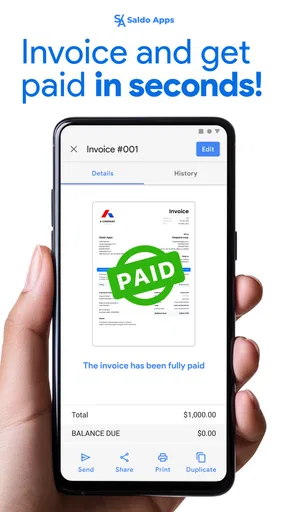
Reliability matters more than a flashy workflow when money is involved. I would make a habit of checking the document after creating it and retaining whatever business records I need outside the app as well. That is a practical safeguard, not a claim about a particular backup or recovery feature. Likewise, I would not assume an invoice has been paid merely because it has been created or sent; payment reconciliation still needs attention.
Choosing the right device and alternative
Saldo is aimed at Android devices running version 8.0 or later, and it is rated for Everyone. Its current version is 4.3.3. On a supported phone, the small-screen format is useful for quick work, but reviewing long descriptions or checking several line items may be more comfortable on a larger screen. For a detailed quote, I’d draft the scope carefully first and use the phone for preparing and checking the document rather than trying to compose everything in a hurry.
Worth Reading Before You Choose

EA SPORTS FC Mobile 26 Is a Bigger Football Game, but It Takes Time

Flipboard Shows What News Apps Must Do Beyond the Feed

Switching to Android Auto Means Rethinking Your Driving Routine

Google Calendar Makes a Crowded Week Easier to Manage

Ludo King Makes the Most of the Minutes Between Plans

Baby Panda World Brings Quick Play to Modern Phones, but Its Game Library Feels Busy
Compared with a spreadsheet or a word-processing document, a dedicated invoice app is a more natural place to prepare client billing; those general tools may offer more freedom, but they require you to build and maintain the layout yourself. Compared with full accounting software, Saldo’s focused purpose is less intimidating for a person who only needs invoices and estimates. The trade-off is that businesses with complex books, inventory, payroll or extensive reporting needs may be better served by a broader accounting system. I would also avoid choosing any paid upgrade until I know it addresses a real part of my workflow.
What Makes Saldo Stand Out?
First things first, let's talk about how easy it is to set up. Right from the get-go, the app is super intuitive. You don’t need a finance degree to navigate through it. I mean, who has time for complicated setups when you just want to get things done, right?
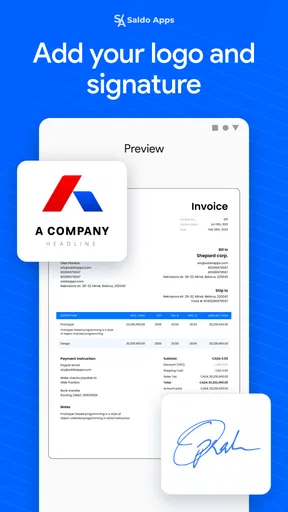
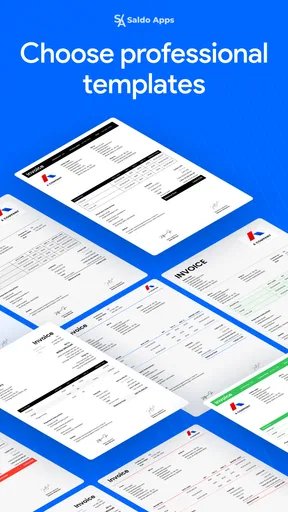
Once you're in, creating invoices is a breeze. The app offers a variety of templates that are not just professional but also customizable. You can easily tweak them to fit your brand’s aesthetic, which is a nice touch. Plus, the templates are designed to ensure all the necessary details are included, so you don’t miss out on any crucial information.
Tracking and Management
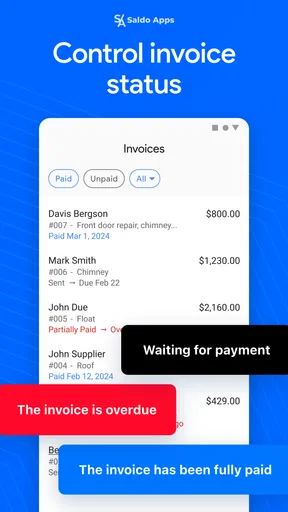
One of the standout features of Saldo is its ability to track payments seamlessly. You’ll get notifications for due dates, which is a lifesaver if, like me, you sometimes lose track of time. This feature alone can save you from late fees and awkward conversations with clients.
Another cool aspect is the client management system. You can store essential client details, making it easy to send out invoices and keep track of who owes what. It’s like having a digital Rolodex that’s always up-to-date.
Security and Accessibility
Now, let’s talk about security because, let’s face it, handling finances involves sensitive information. Saldo employs top-notch security protocols, so your data is safe and sound. It’s reassuring to know that your financial information won’t fall into the wrong hands.
Moreover, the app is available on both Android and iOS, making it accessible no matter what device you’re using. Whether you’re at your desk or on the go, you can manage your invoices with ease. And if you’re like me, who’s constantly switching between devices, this cross-platform availability is a huge plus.
Integration and Support
Saldo integrates smoothly with other tools you might be using. From accounting software to payment gateways, the app plays well with others, making your financial management more cohesive.
And let’s not forget the support team. They’re incredibly responsive, which is a relief if you ever run into a snag. It’s like having a buddy who’s got your back and is just a message away.
For a sense of how widely it is used, Saldo has over 100,000 installs and a 4.7 average from around 1,000 ratings, with 94 written reviews. Those figures offer context, but they don’t tell me whether the workflow fits a particular business. I’d judge it by trying a typical estimate and invoice from my own work, then checking whether the result is easy to review and maintain.
The developer is Saldo Apps, and the app was released on January 11, 2019. Its business focus is a good match for independent workers who want a direct way to prepare billing documents. If I needed a full financial picture across a company, or relied on elaborate approval and reporting processes, I’d compare dedicated accounting products instead of expecting a simple invoice maker to handle those responsibilities.
All in all, Saldo: Bill & Invoice Maker is an impressive tool that simplifies the whole invoicing process. It’s user-friendly, reliable, and packed with features that cater to both individuals and small businesses. If you’re looking to streamline your billing and invoicing, this app is definitely worth checking out. Don’t just take my word for it—give it a try and see how it can transform your financial management!
Pros
- User-friendly interface for quick navigation.
- Customizable templates for professional invoices.
- Supports multiple currencies for global use.
- Real-time notifications for payment updates.
- Integration with popular accounting software.
Cons
- Limited free version features.
- No offline mode available.
- Occasional sync issues with cloud.
- Limited customer support hours.
- No dark mode option for night use.
FAQs for Saldo: Bill & Invoice Maker
What platforms is Saldo: Bill & Invoice Maker available on?
Saldo: Bill & Invoice Maker is available on both Android and iOS platforms. You can download it from the Google Play Store for Android devices and the Apple App Store for iOS devices. This ensures that users across different mobile platforms can access and utilize the app’s features seamlessly.
Is Saldo: Bill & Invoice Maker free to use?
Saldo: Bill & Invoice Maker offers a free version with basic features, allowing users to create and manage invoices easily. However, for advanced functionalities such as custom templates, additional payment options, or enhanced reporting, there may be in-app purchases or a subscription model. Check the app store listing for detailed pricing information.
Can Saldo: Bill & Invoice Maker integrate with other accounting software?
Saldo: Bill & Invoice Maker is designed to be versatile and user-friendly. It can integrate with various popular accounting software to streamline your financial management processes. This compatibility ensures that your invoicing data can be easily synchronized with your existing accounting systems, enhancing productivity and accuracy.
How secure is the data stored in Saldo: Bill & Invoice Maker?
Data security is a top priority for Saldo: Bill & Invoice Maker. The app uses advanced encryption technologies to protect your personal and financial information. Additionally, regular updates are provided to address any potential vulnerabilities, ensuring your data remains safe from unauthorized access or breaches.
What kind of customer support is available for Saldo: Bill & Invoice Maker users?
Saldo: Bill & Invoice Maker offers comprehensive customer support to assist users with any issues or questions they may encounter. Support is available through various channels, including email, live chat, and a detailed FAQ section on their website. This ensures that users can find quick solutions to their problems and make the most of the app’s features.


